
LiveCC video LLM is an open-source project that trains a video LLM to generate real-time commentary while the video is still playing, by pairing video understanding with streaming speech transcription. If you’re building live sports commentary, livestream copilots, or real-time video assistants, this is a practical reference implementation to study.
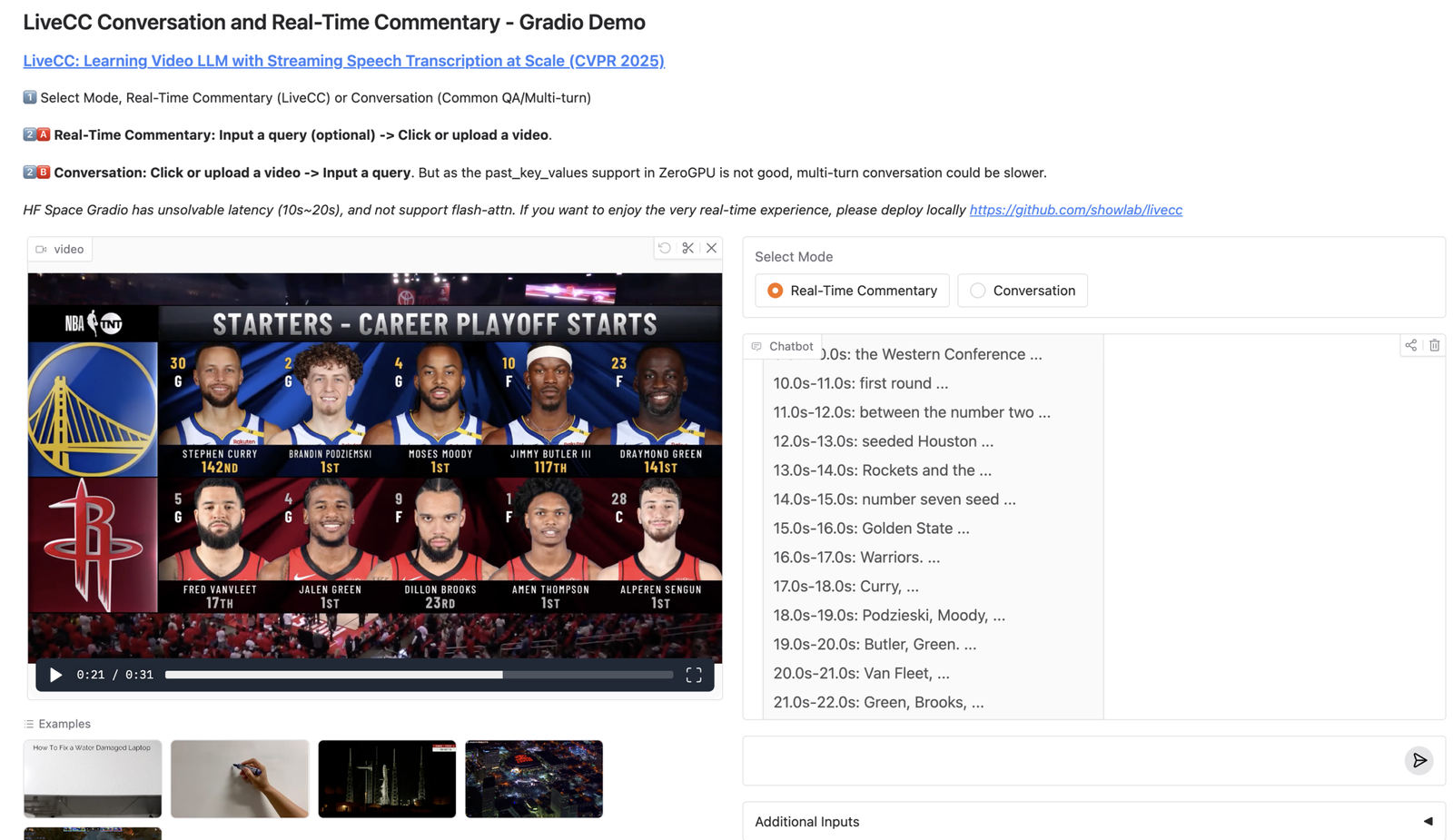
In this post, I’ll break down what LiveCC is, why streaming ASR changes the game for video LLMs, how the workflow looks end-to-end, and how you can run the demo locally.
TL;DR
- LiveCC focuses on real-time video commentary, not only offline captioning.
- The key idea: training with a video + ASR streaming method so the model learns incremental context.
- You can try it via a Gradio demo and CLI.
- For production, you still need latency control, GPU planning, and safe logging/retention.
Table of Contents
- What is LiveCC?
- Why streaming speech transcription matters
- End-to-end workflow (how LiveCC works)
- Use cases
- How to run the LiveCC demo
- Production considerations
- Tools & platforms (official + GitHub links)
- Related reads on aivineet
What is LiveCC?
LiveCC (“Learning Video LLM with Streaming Speech Transcription at Scale”) is a research + engineering release from ShowLab that demonstrates a video-language model capable of generating commentary in real time. Unlike offline video captioning, real-time commentary forces the system to deal with incomplete information: the next scene hasn’t happened yet, audio arrives continuously, and latency is a hard constraint.
Why streaming speech transcription matters
Most video-LMM pipelines treat speech as a static transcript. In live settings, speech arrives as a stream, and your model needs to update context as new words come in. Streaming ASR gives you incremental context, better time alignment, and lower perceived latency (fast partial outputs beat perfect delayed outputs).
End-to-end workflow (how LiveCC works)
Video stream + Audio
  -> Streaming ASR (partial transcript)
  -> Video frame sampling / encoding
  -> Video LLM (multimodal reasoning)
  -> Real-time commentary output (incremental)
When you read the repo, watch for the timestamp monitoring (Gradio demo) and how they keep the commentary aligned even with network jitter.
Use cases
- Live sports: play-by-play, highlights, tactical explanations
- Livestream copilots: summarize what’s happening for viewers joining late
- Accessibility: live captions + scene narration
- Ops monitoring: “what is happening now” summaries for camera feeds
How to run the LiveCC demo
Quick start (from the README):
pip install torch torchvision torchaudio
pip install "transformers>=4.52.4" accelerate deepspeed peft opencv-python decord datasets tensorboard gradio pillow-heif gpustat timm sentencepiece openai av==12.0.0 qwen_vl_utils liger_kernel numpy==1.24.4
pip install flash-attn --no-build-isolation
pip install livecc-utils==0.0.2

python demo/app.py --js_monitor
Note: --js_monitor uses JavaScript timestamp monitoring. The README recommends disabling it in high-latency environments.
Production considerations
- Latency budget: pick a target and design for it (partial vs final outputs).
- GPU sizing: real-time workloads need predictable throughput.
- Safety + privacy: transcripts are user data; redact and keep retention short.
- Evaluation: measure timeliness, not only correctness.
Tools & platforms (official + GitHub links)
- LiveCC (GitHub): github.com/showlab/livecc
- Homepage: showlab.github.io/livecc
- Demo (Hugging Face Space): huggingface.co/spaces/chenjoya/livecc
- Paper: huggingface.co/papers/2504.16030
- Model checkpoint: LiveCC-7B-Instruct
- Dataset: Live-WhisperX-526K

Leave a Reply